Scheduling Listings
Schedule Marketplace publication with optional eBay attachment and review blocked work.
For RocketVault + eBay, confirm account-wide eBay out-of-stock control before publishing or scheduling. The setup step explains its effect on existing Good ’Til Cancelled listings; private drafts remain available. See eBay shared inventory setup.
Choose the destination before the time
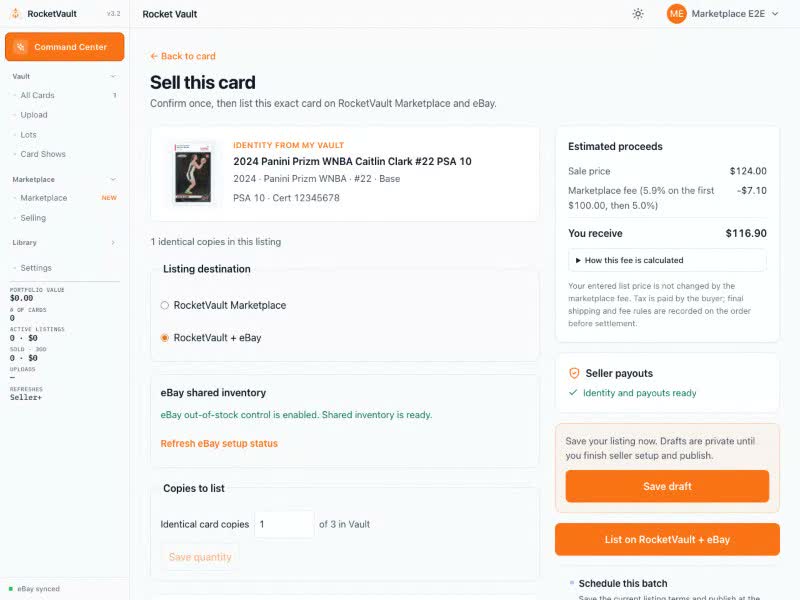
Prepare a private card, quantity, or whole-lot draft. Choose RocketVault Marketplace or RocketVault + eBay, review its terms, and choose the future date and time. Payout and shipping setup are required before scheduling publication. New auctions and auction relists are unavailable.
A schedule records the destination, listing version, and requested eBay terms. When due, RocketVault checks seller readiness, owned inventory, prices, shipping, and eBay settings again. Marketplace publishes first; eBay attachment runs afterward and has its own status. Marketplace remains live if eBay fails.
Review changes and failures
Changing a scheduled draft requires destination review before rescheduling. Sold, reserved, suspended, or otherwise unavailable inventory cannot publish through a waiting task. An uncertain eBay result enters reconciliation before another attempt, rather than creating a second listing.
Old eBay-only queued work stops with a policy-change explanation. Review the destination and setup, then reschedule. Unused publishing capacity is released; already-confirmed provider work stays recorded for safe recovery.
Open Selling to see progress and the next action. A retry uses confirmed provider receipts and checks Marketplace stock again. If Marketplace sold while eBay work waited, RocketVault cancels that publication or removes a provider publication whose outcome was uncertain.
Publishing limits
Immediate and scheduled eBay attachments share the same local-day publishing allowance and eBay account selling limits. Retrying a confirmed publication does not count it twice. Marketplace listings remain unlimited. Your timezone is set in Settings → Account → Time Zone.
Selling on RocketVault Marketplace
List cards from your Vault, choose how you ship, see what you will earn, and keep eBay listings in sync.
Listing to eBay
Publish to RocketVault Marketplace first, attach eBay with shared stock, and manage existing eBay listings.
Creating Lots
Bundle multiple cards into lots for sale. Build, split, and publish whole lots to Marketplace with optional eBay attachment.